Creating User Account
After you have created a database, you can create a user account allowing multiple users to use Handy Password database. Handy Password users can fill forms, logins and passwords and perform other operations while not being able to see the passwords which they enter. Only the database administrator can see the passwords which are stored in a Handy Password database.
Follow these steps to create a user account:
1. Launch Handy Password
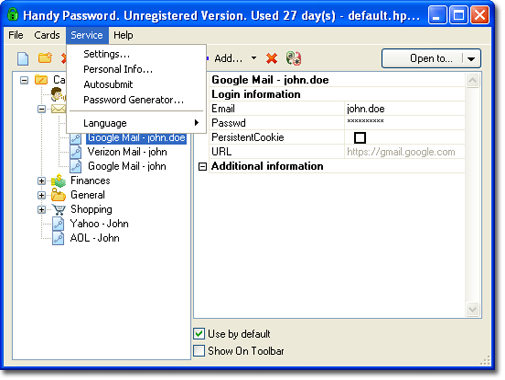
2. In the Service menu, select Settings
3. In the Settings window, click Security.
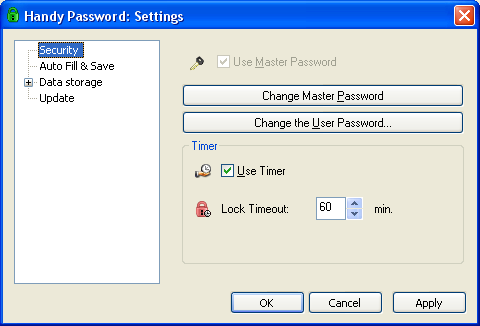
4. Click the Change the User Password tab.
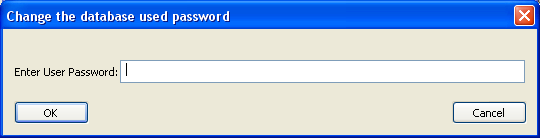
5. Type the user password in the Change the database user password dialog. Click OK.
Now you can distribute user password among company employees allowing them to enter corporate accounts without knowing account passwords. The password field will be missing in account cards.
 |  |  |


















