MSNMail: Login Automatically
MSN sign in is your starting point in the world of the most interesting in news, entertainment, events, weather, travelling, and lifestyle, that also combined with outlook.com where you can create your account and take all the advantages of MSN email.
This article would helps you to overcoming the difficulties with email account, such as check my msn email account, password reset and create msn email and other issues.
MSN Sign In: Manage various problems
MSN login is your first step in mailbox and the main page of your account, in order to enter to this system, you need to do the following:
- Click at "Sign in" at the top of the screen on the mail page of the official MSN.com website;
- Enter your personal data: email or phone and a password;
- You can also make the process of login faster and easier: click at "Sign in with a single-use code" and then enter the personal information (Microsoft account and Phone number) and then the tech support system will send you a single-use code that lets you sign in without entering your password (if you already have a single-use code click at "Already have a code?" and enter it);
Create MSN Account: Easy instructions
If you a newcomer in MSN email, firstly, you need to create an account, in order to do it you need to perform several steps:
- In the section of "Sign in" click at "Sign up Now".
- Then please enter the following personal information:
- The First and Last Name;
- User name;
- Password (8-character minimum; case sensitive) then reenter your password again to confirm it;
- Your Country/region;
- Your Birthdate and Gender;
- Then enter your country code and a phone number;
- Please enter the numbers and letters in the image that you see;
- You can also choose whether you want receive a promotional offers from Microsoft or not;
- Also read carefully the Microsoft Services Agreement and privacy and cookies statement;
- Then press "create account".
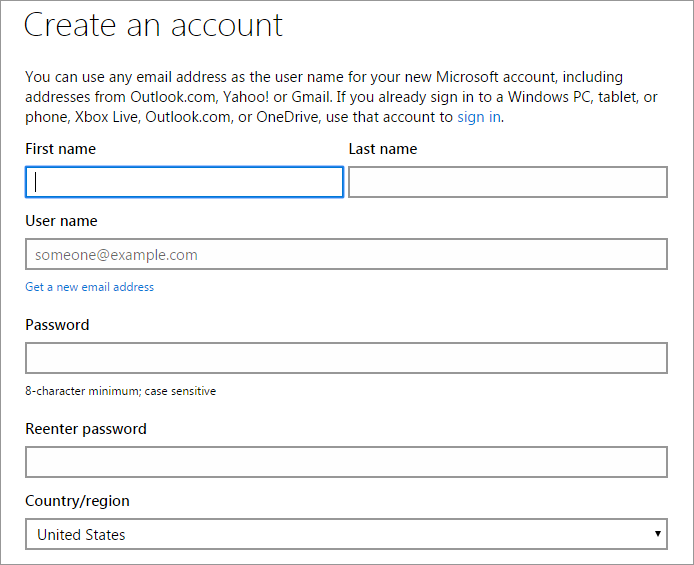
Images from MSN.com
MSN Passport Account Login
Microsoft Passport makes your identification service more accessible and easy. With the help of Windows Live ID you may log in to most of Microsoft services, as well as systems Hotmail, Xbox Live, OneDrive, Messenger and others. Moreover if you are a Hotmail or MSN user, you will automatically receive the identifier Windows Live ID, which corresponds to your accounts. In order to create a Microsoft passport account, you may use any existing e-mail address, and after registration, the address of the mail can be used to log on to any Web site Windows Live ID.
MSN Email Account: Can not Login?
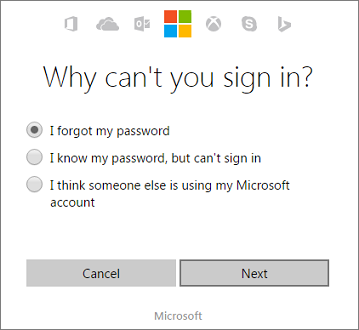
In case you want to log into my msn account, would like to check my msn email account or cannot sign in email, but cannot do it, click at "Can't access your account?". Then you need to choose what type of problem you have.
MSN Email Sign In: Password reset
If you don't remember the password or want to change it click at "I forgot my password" and do the following:
- Enter Email or Phone;
- Enter the character that you see in the picture;
- Press "Next";
- Enter the new password.
In case you know your password, but can't sign in, click at this title and double check the account you're trying to sign in to (because it happens that people mistype the email address). Moreover make sure to use the correct domain for your account, such as hotmail.com, live.com, or outlook.com. (Learn more about hotmail.com login)
If you think that someone else is using your Microsoft account, click at this title and choose the reason of why you think so. After this press "Next" and enter your personal information in order to recover your account.
MSN.com Sign In: Need a help?
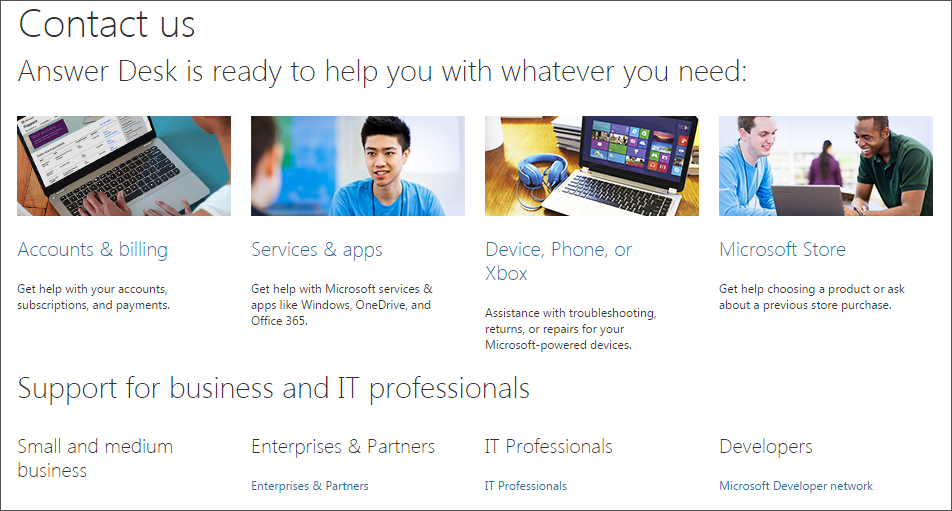
If you still face any difficulties, please move to the section "Help" (located at the top of the main page) and choose the problem that bothering you, then the tech support system of MSN gives you detailed instructions. Furthermore, you may contact the tech support by email or phone.
We wish you a pleasant use of MSN sign in!
MSN Password Recovery
MSN password recovery is possible through your registration or alternate email address. But many people find this process is very long and laborious.
Another way to recover your MSN password is related to using a password manager. Handy Password can save sign-in information of Windows forms to strongly encrypted database. Next time you want to login, the icon will appear. By just one single click you fill the login form.
You won't need to spend much time on MSN password recovery: you can get it from your password manager at any time. All you need is your master password - the only one you need to remember.
Download Password manager free trial
See also:
Verizon mail login account
Sign in Bellsouth mail account
My eBay account login
Outlook.com login account
Sign in OneDrive account
 |  |  |
















